
.svg)


What's New at CIQ: July 2026

Every month we highlight innovative, new capabilities from CaptivateIQ. Stay tuned for the latest updates helping organizations operate more efficiently, hit targets, and prepare for future growth. Here’s what shipped today.
CaptivateIQ Incentives
A new user interface experience (Open Beta)
CaptivateIQ Incentives has a new look. The refreshed interface delivers an updated layout, visual theme, and dashboard along with structural upgrades that make plan building faster:
- Next generation workbooks: Sheets now live in a vertical panel across the Data Workbook, Global Attributes, and Transformation Workbook, replacing horizontal tabs.
- Plan components: Optional templates for flat rate, tiered rate, and plan credit logic give you a proven starting point. Add custom calculation columns without detaching from the plan component.
- Modernized payee assignment: A structured table replaces the spreadsheet grid, with import and export, an add payee flow, and a worksheet toggle.
- Clearer terminology: Calculation Workbook becomes Plan Logic, Employee Assumptions becomes Payees, and Payout Dates becomes Pay Period End Dates.
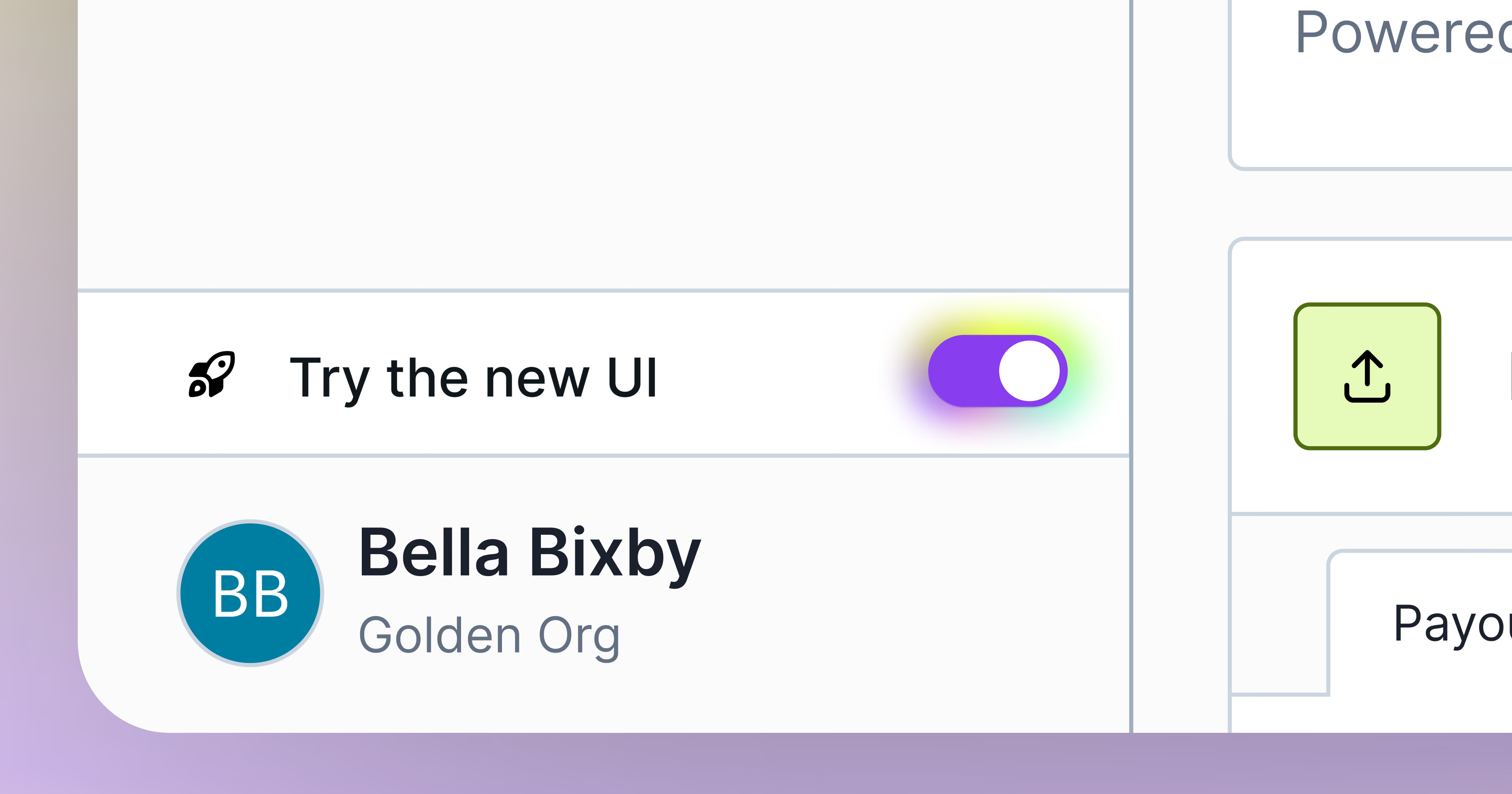
Your existing plans, logic, and data carry over unchanged. You can try the new interface experience by toggling on the "Try the new UI" toggle in your account.
The toggle is optional through September 8. Starting September 9, the new UI experience becomes the default, and the toggle will remain available if you want to switch back to the classic view. For more information or to ask questions around this open beta, contact your dedicated Customer Success Manager or our Support team with any questions.
Custom payee email templates (GA)
Customize the subject line, greeting, body copy, and CTA of payee notification emails using structured field overrides. Every notification your payees receive can now match your team's voice.
Payee statement links (GA)
Embed clickable external record links in statement data tables so payees can jump straight to the source record. Statement authors can also add internal anchor links between statement sections for faster navigation.
Electronic Signatures for Native Plan Document Management (Closed Beta)
We're continuing to develop Native Plan Document Management and want to share an update on how eSignature will work as the feature moves toward GA.
After evaluating the best path forward, we've chosen to use DocuSign for the eSignature signing layer in a tightly integrated hybrid model. This lets us focus our engineering on the parts of the workflow that are uniquely CIQ – comp-aware templating, recipient assignment tied to your CIQ data, and an audit trail connected to the comp record. DocuSign handles the signing, disclosures, and certificate.
Two flows are supported: receipt-only acknowledgements, where a payee confirms they've reviewed their plan, stays fully native in CIQ and doesn't require DocuSign. Legally binding eSignatures route through DocuSign using your existing account. We're also continuing to build additional flexibility into the workflow and will share updates as that develops.
Native Plan Document Management is currently in closed beta if you are interested in testing native plan document workflows in CIQ and with the e-signature option via Docusign. Contact your Customer Success Manager to learn more.
Platform
Native Workday integration (GA)
Sync data directly from Workday into CaptivateIQ using a native integration. IT admins get full control over the connection without relying on Workato.
Sandbox merge conflict redesign (GA)
The merge conflict page is gone. A banner now notifies you of drift in production since your last sync, with the option to view and download the drift changes. Promotions proceed without getting blocked by the old conflict flow.
SFTP authentication with your own public key (GA)
Upload your own public key and authenticate to the CaptivateIQ SFTP server with a private key you generate and control. Teams with strict key management policies, like HSM-managed keys or SOC 2 rotation requirements, no longer need to download a CIQ-generated private key.
Audit Logs upgraded CSV exports (GA)
Two new options during CSV export of audit logs, which allows you to add absolute parents instead of relative ones, as well as explode before and after changes into separate lines.
Self-service managed data connectors (Open Beta)
Set up, configure, and manage your own data connections from Google Sheets, BigQuery, and HubSpot. Create new connections, choose the data you want to pull, sync it into CaptivateIQ, and adjust the configuration as your needs change, all without involving CIQ support. Contact your Customer Success Manager to get started.
CaptivateIQ Planning
Sales Planning Enhancements (GA)
A set of updates driven by customer feedback:
- Bulk delete property values
- Delete a property
- Delete saved filters
- Edit planning cycle dates, so you can clone a plan for your next fiscal year or planning cycle
- Changing the data source for a data object
Revenue Planning Agent (Open Beta)
The Revenue Planning Agent moves from reading your model to changing it. Three upgrades ship this month:
- Write capabilities with confirmation. Ask the agent to update a quota, add a raw or derived column, restructure territories, assign accounts, or create a worksheet. Before it acts, the agent shows you exactly what it will change and the downstream impact. You confirm, it executes.
- Cross-scenario comparison. Ask questions across multiple planning scenarios in one conversation, like which scenario carries the highest total quota or how territory assignments differ between two plans, and get a plain-language summary of what actually changed.
- Deterministic data analysis. When the agent totals, counts, or computes over your worksheet data, the platform runs the math and the agent explains the result. Numbers come from real calculation, not a model estimate.
Contact your Customer Success Manager to join the beta.
Approval workflows: line-level comments and validations (Beta Starting July 31)
Approval workflows now support review at the row level:
- Line-Level Comments. Any approver on an active step can comment on individual rows. Comments and edits appear together in a single chronological timeline per row, so reviewers see the full history of every change.
- Validations. Admins configure validation rules against derived columns and choose the behavior: require a comment when a value falls outside expectations, or block submission entirely. Validations evaluate in real time at submission.
Get Started with These New Features
To learn more about any of these features or to get implementation assistance on beta features, please contact your Customer Success Manager.
We're committed to continuously improving our platform based on your feedback. Thank you for being part of the CaptivateIQ community!
Read more for additional information on feature releases in our NEW Knowledge Base!
The CaptivateIQ Knowledge Base just got a major upgrade – smarter search and a cleaner experience. Native MCP support coming soon.
.png)